Today, I will continue to talk about improvements to the user interface of SPMF, for the upcoming version 2.66. I have just added a new Run history panel. To access it the user will click here:
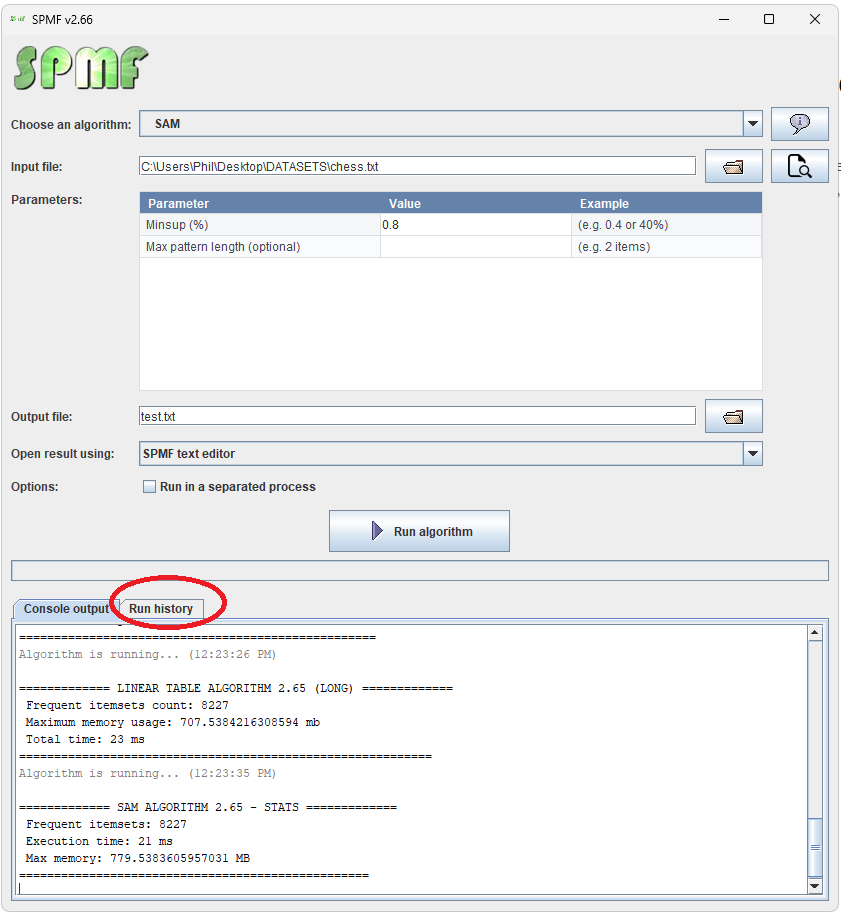
And then, the run history is displayed:
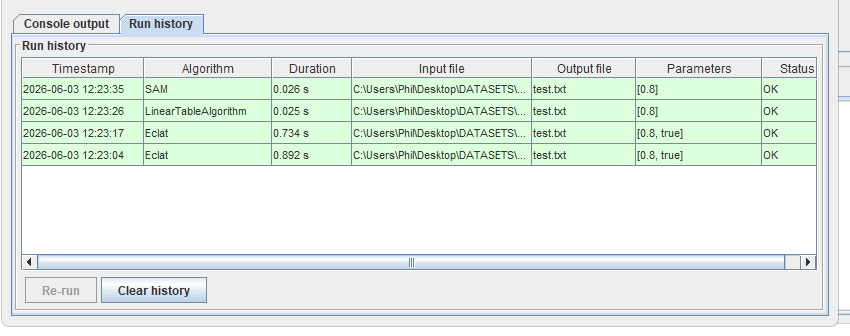
And it is possible to run the same algorithm again with the same parameters, and see all algorithms that have been run in the current session, and to clear the history.
Another update (2026-06-05)
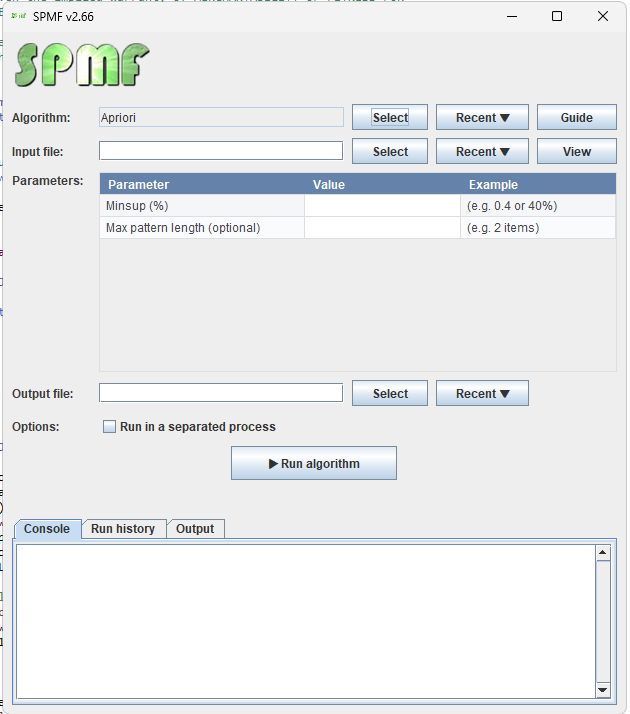
I have further improved the user interface today, here is a new version, where there are now buttons for selecting recently used algorithms, input, and output files. This is very useful for users.
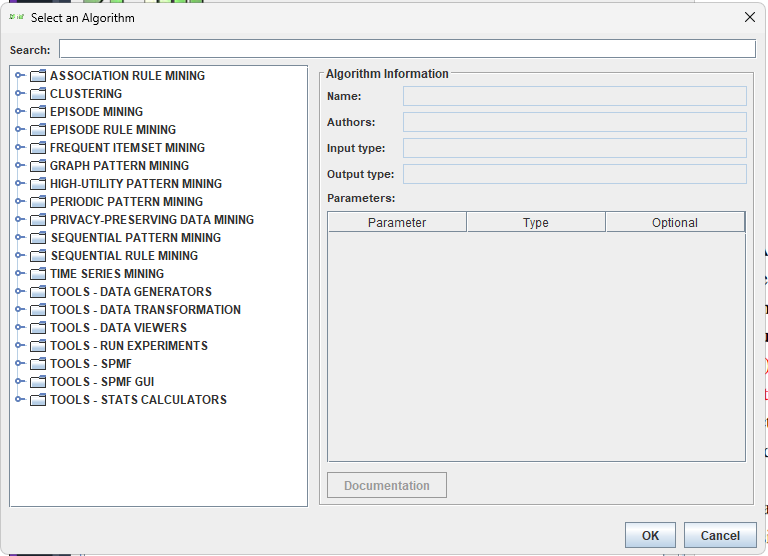
Also, the combobox for selecting an algorithm has been replaced by a more intuitive algorithm selection dialog that displays algorithms by category and has a search bar as it was cumbersome to scroll through hundreds of algorithms. Here is a screenshot:
And finally, when an algorithm is run, there is a preview of the output file in the bottom tabs:
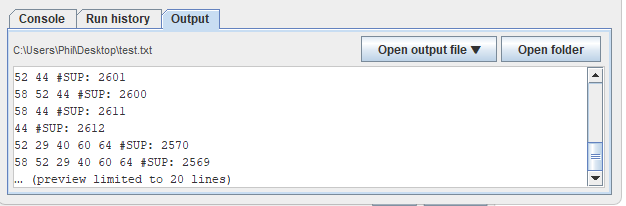
From this tab, using the button “Open output file“, it is possible to open the last generated output file using different viewers without having to run the algorithm again. And there is also a new button to open the folder containing the output file.
This is just to show you some new feature in the upcoming version of SPMF!
Have a good day!